CAP Fab Labs · Design-Build Lab
Design-Build Lab
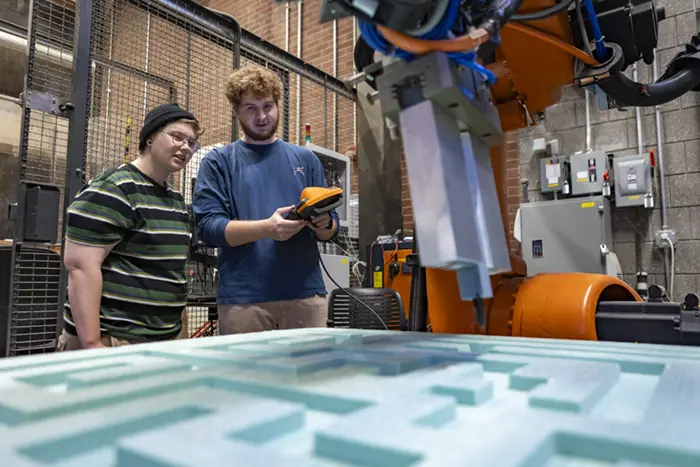
The Design-Build Lab is CAP’s industrial fabrication hub, covering everything past the intro labs — pen plotting, mechanisms, microcontrollers, robotics, CNC routing, a full metal shop, and CNC plasma & waterjet cutting. No matter which machine you’re after, the rule is the same: training with Makercorps staff or approved faculty comes first. There are no walk-up exceptions.
Seven Areas · All Training Required
What’s in the Lab
Every one of these requires certification before independent use. Most modules build on each other — Mechanisms feeds into Microcontrollers, and Wood CNC/Metal Shop feed into Plasma & Waterjet — so plan your training sequence accordingly.
Firm Scheduling · CNC Router
Training Is Required
Any student planning to use the CNC routers at CAP must complete required training with Makercorps staff or approved faculty.
- The full training process typically takes about three weeks to complete.
- Using the CNC router for a class project? Begin training at least three weeks before any deadlines.
- Basic CNC training requires a minimum of six hours.
How We Train · Applies to Every Machine in This Lab
Training Philosophy
Makercorps training is designed to help students become independent, capable machine operators — whether that machine is a soldering iron or a plasma table. Our goal is to teach you how to safely prepare files, set up materials, operate the equipment, and troubleshoot basic issues yourself.
Staff are here to guide, coach, and support learning — but we do not run jobs on behalf of students or complete projects for them. Students are expected to actively participate in every stage of the process, from design through fabrication, on every machine listed above.
What to Expect
Training Overview
- Every capability above — Mechanisms through Plasma & Waterjet — requires its own certification before independent use.
- Sessions take place in the Design-Build Lab or at Madjax.
- Training is led by Makercorps team members or approved faculty.
- Duration varies by machine and by trainer availability — CNC Router timelines are firm (see above); others are confirmed at sign-up.