CAP Fab Labs · Architecture Building
Laser Lab
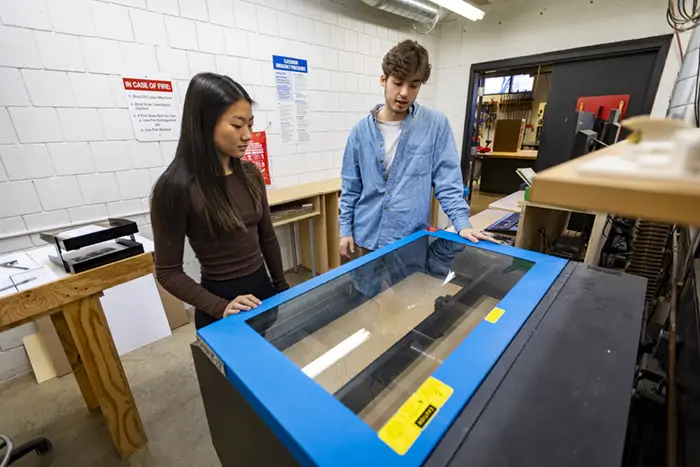
The Laser Lab in the Architecture Building is a self-serve, CAP-students-only facility for model making. Once you're certified, you schedule an appointment and cut your own work. Coming from outside the college? You'll need permission first, so reach out to CAP Dean David Ferguson.
Jump to
On This Page
| 01What You Need start here→ |
| 02Scheduling→ |
| 03Available Machines→ |
| 04What You Can Cut ¼ in max→ |
| 05Setup Guides→ |
Requirements
What You Need
- CAP student status. The lab is CAP students only, and first-year students may not use the lasers. Non-CAP students will need to obtain permission from the Dean.
- Certification. Complete the online training, then get certified by a Makercorps student, your studio professor, or other faculty. Your certification links to your BSU ID, and it also covers the AT 141 and BSU CAP Indy lasers.
- A scheduled appointment. Once you're certified you can reserve time, which is covered in Scheduling below.
- Sign in and out at the check-in desk every visit. You'll write down First Name, Last Name, Class (e.g., ARCH 263), and your time of arrival.
- Laser Lens Responsibility Form. Get this done before you cut anything (form →).
- Stay in the room. Never leave a project unattended while it's cutting. If you walk out, the machine gets shut down.
Booking
Scheduling
Reserve through the WebCheckOut Patron Portal, which you can also get to on my.bsu under “Additional Tools.” Access to reserve a machine is granted once your training is on file. Need the step-by-step? See the reservation walkthrough.
- Sign up for 1 hour per day, no less than 30 minutes in advance.
- If no one is scheduled after you, you may stay beyond your one-hour appointment.
- Arrive on time. If you’re 4 minutes late, your slot goes to the next person in line.
- Missed appointments are noted by the Fab Lab attendant on duty.
- No-shows and uncancelled appointments incur a non-refundable $10 fine to your Bursar account. Cancel under “My Account” in WebCheckOut.
Equipment
Available Machines
Four machines are available for scheduling, at 1 hour per day, per person. If a slot isn't reserved, it's first-come, first-served.
Materials
What You Can Cut
The lab is for model making, and we provide material settings for everything in the permitted list below. Maximum thickness is ¼ inch. Anything thicker than that needs a different cutting method.
Permitted
- Acrylic (from the CRC)
- Mat Board
- Illustration Board
- Balsa Wood
- Bass Wood
- Chip Board
- Plywood
- Masonite
Not Permitted
- Foam Core
- PVC
- Vinyl
- Steel or any other metal
- Cement or Concrete
Working with something that isn't on either list? You'll need special permission from Judy Kreiger.
File Prep
Laser Cutting Setup Guides
Not sure how to get your file ready? These guides walk you through it:
Not certified yet? Training is provided by Makercorps, your studio professor, or other faculty.
Laser Cutter Training →